
How to Scan a Menu in a Restaurant (QR Code Menus Explained)
Scanning a menu with your phone has become the new normal in restaurants, cafés, and bars. Instead of printed menus, many places now use a menu QR code that lets you instantly view the menu on your phone.
In this guide, you’ll learn:
- how to scan a menu in a restaurant
- how to scan a menu on Android
- what to do if scanning doesn’t work
- how restaurants create QR code menus
- how to create your own QR code restaurant menu using mmmmenu.app
What Is a QR Code Restaurant Menu?
A QR code restaurant menu is a digital menu you access by scanning a QR code with your phone’s camera. Once scanned, the menu opens in your browser—no app download required.
Restaurants use QR codes to:
- replace printed menus
- update prices instantly
- make menus easier to read on mobile
- reduce contact and printing costs
This is why “scan to view menu” has become common in restaurants worldwide.
How to Scan a Menu in a Restaurant (iPhone & Android)
Most modern smartphones can scan QR codes directly from the camera.
How to Scan Menu on iPhone
- Open the Camera app
- Point it at the menu QR code
- Tap the link that appears
- The menu opens in your browser
That’s it—no extra apps needed.
How to Scan a Menu on Android
If you’re wondering how to scan a menu on Android, follow these steps:
Option 1: Using Camera
- Open your phone’s Camera
- Point it at the QR code
- Tap the pop-up link
Option 2: Using Google Lens
- Open Google Lens
- Scan the QR code
- Tap the detected menu link
Most Android phones support QR scanning by default.
How to Scan Menu in a Restaurant Without a Camera App
If your camera doesn’t scan QR codes:
- Open Google Chrome
- Tap the address bar
- Use the built-in QR scanner
- Or install a trusted QR scanner app from Google Play
Once scanned, the menu opens instantly.
What Happens After You Scan for Menu?
When you scan for menu, one of two things usually happens:
- The menu opens as a mobile-friendly webpage
- The menu opens as a PDF file
Web-based menus are easier to read, faster to load, and better on phones. PDF menus often require zooming and scrolling. This is why many restaurants are switching to modern digital menus instead of PDFs.
Why Restaurants Use QR Code Menus
Restaurants choose QR menus because they:
- update items and prices in seconds
- work on any phone
- don’t require apps
- reduce printing costs
- look more modern and professional
For customers, it’s simple: scan to view menu and order confidently.
How Restaurants Create a QR Code Menu
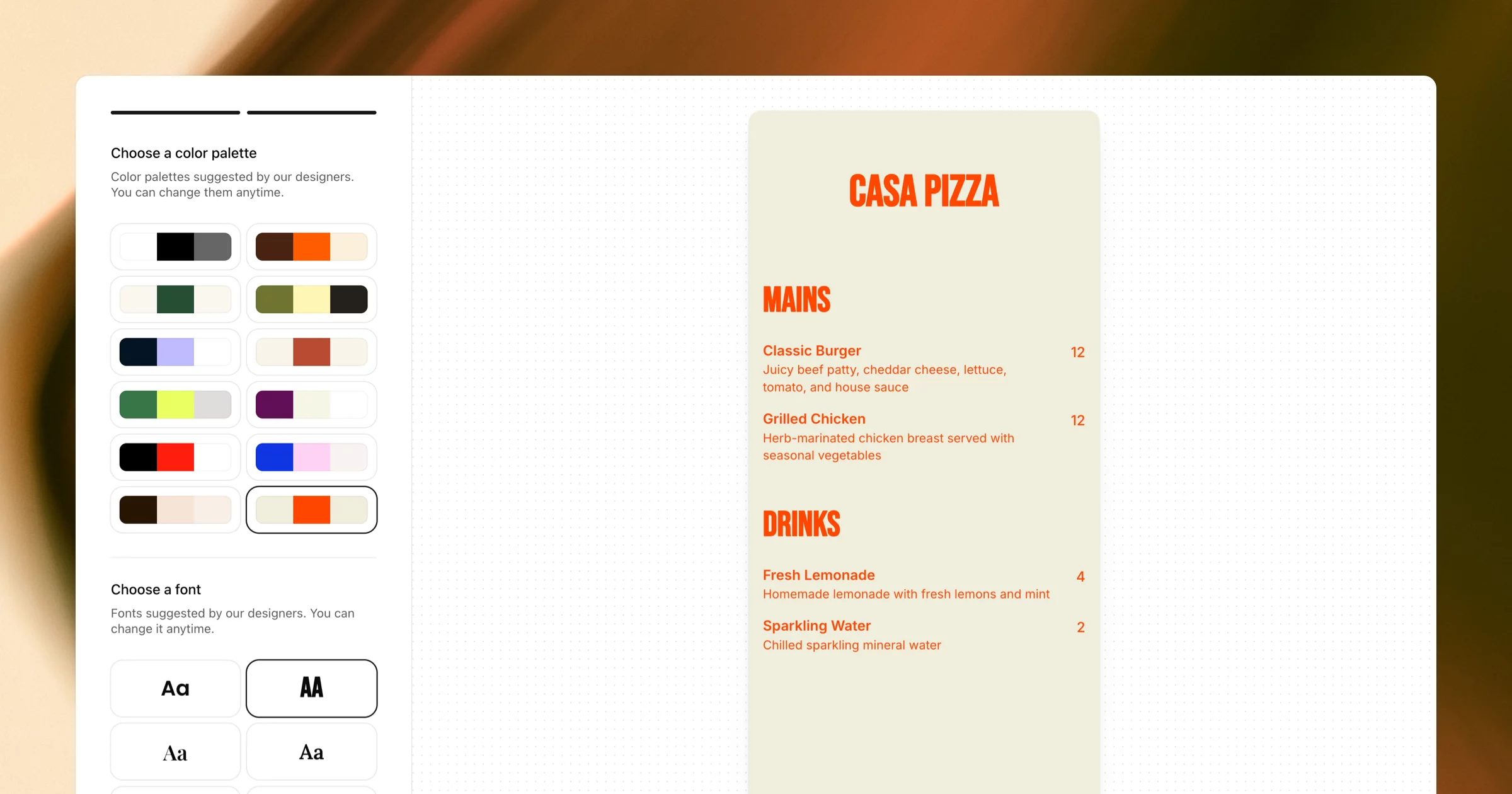
Creating a QR menu is easier than most people think. You don’t need a designer or technical skills.
Modern tools let restaurants:
- add categories and items
- update prices anytime
- customize colors and branding
- generate a QR code automatically
This is where mmmmenu.app comes in.
Create a QR Code Restaurant Menu with mmmmenu.app
mmmmenu.app is an online menu maker designed specifically for restaurants, cafés, and bars.
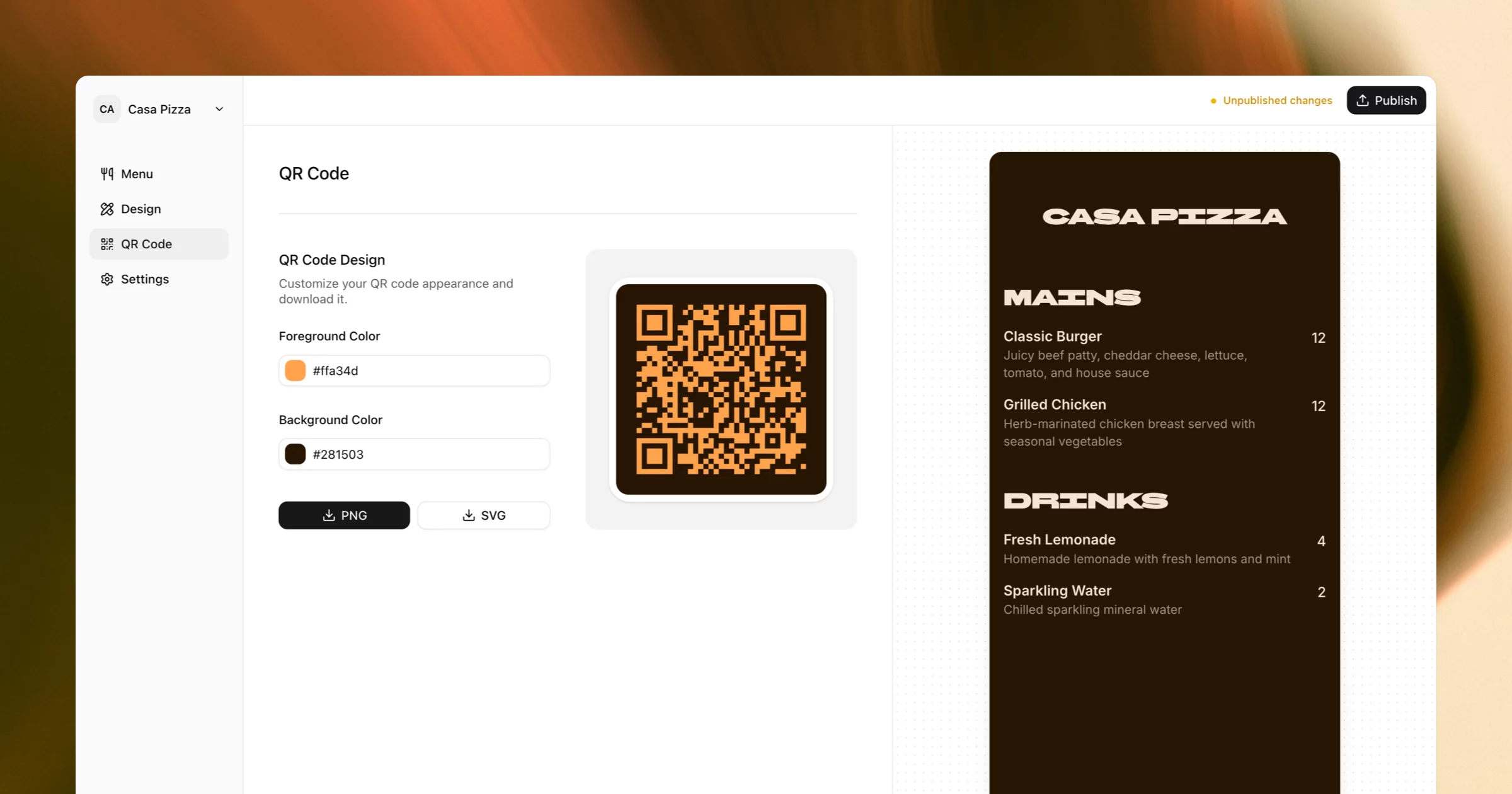
With mmmmenu, you can:
- create a digital restaurant menu online
- organize categories and items
- update your menu instantly
- generate a unique menu QR code
- share a direct menu link
- design a menu that works perfectly on phones
No PDFs. No printing. No technical setup.
How It Works
- Create your menu on mmmmenu.app
- Customize the design to match your restaurant
- Generate your QR code
- Print or display it on tables, walls, or receipts
- Customers scan to view menu instantly
This is one of the simplest ways to create a professional QR code restaurant menu.
Common Questions About Scanning Menus
Final Thoughts
QR code menus are now standard in restaurants. Knowing how to scan a menu, especially how to scan a menu on Android, makes dining easier and faster.
For restaurants, using a digital menu with a QR code isn’t just convenient—it’s expected.
If you’re creating or upgrading your restaurant menu, mmmmenu.app makes it simple to build a mobile-friendly menu and generate a QR code your customers can scan instantly.
Scan. View. Enjoy.